
RAM (Random Access Memory) is your computer’s short-term memory. It temporarily stores data that your system needs right now. When you open a game, your PC loads important files into RAM so it can access them quickly instead of pulling them from slower storage devices. What Does RAM Do for Gaming in simple terms, RAM helps your PC think faster while gaming. You can imagine RAM like a desk. The bigger the desk, the more files you can keep open and access instantly.
How RAM Stores Game Data
When you launch a game, textures, maps, character models, sound files, and background processes are loaded into RAM. This allows your system to instantly access these elements without delay. Modern games are more detailed than ever. High-resolution textures, large open worlds, and AI systems all require memory.
RAM vs SSD vs HDD
RAM is much faster than SSDs and HDDs, but it is temporary. SSDs and HDDs store your data permanently, while RAM only holds data while your PC is running.
- RAM → Ultra-fast, temporary memory
- SSD → Fast permanent storage
- HDD → Slower permanent storage
A simple way to understand what RAM does for gaming is this: Your SSD loads the game, but RAM keeps it running smoothly.
What Does RAM Do for Gaming on PC?
RAM directly impacts how smoothly your game performs. When you have enough RAM, your system can quickly process game data, resulting in stable performance and fewer interruptions.
However, if your RAM is limited, your system struggles to keep up. This leads to:
- Frame drops
- Stuttering
- Sudden freezes
- Game crashes
Role of RAM in Loading Times
While storage drives (especially SSDs) handle initial loading, What Does RAM Do for Gaming plays a major role once the game is running. It keeps frequently used data ready for instant access.
For example:
- Entering new areas becomes smoother
- Texture pop-in is reduced
- Fast travel feels quicker
More RAM helps maintain consistency during gameplay, not just at the start.
RAM and Multitasking While Gaming
Gaming today is not just about running a game. Most players also use:
- Discord for voice chat
- Chrome or browsers
- Streaming software
- Background apps
All of these consume RAM. If your system doesn’t have enough, your game performance will suffer when multitasking.
Does RAM Increase FPS in Games?
What Does RAM Do for Gaming can improve FPS if your system doesn’t have enough memory. For example, upgrading from 8GB to 16GB often removes bottlenecks and allows the CPU and GPU to perform better.
This results in:
- Higher average FPS
- More stable frame rates
- Less stuttering
When RAM Does Not Affect FPS
If your system already has enough RAM (like 16GB), adding more usually won’t increase FPS significantly.
In such cases, performance depends more on:
- Graphics card (GPU)
- Processor (CPU)
Real Gaming Performance Examples

- 8GB RAM → Struggles with modern AAA titles, frequent stutter
- 16GB RAM → Smooth gameplay in most modern games
- 32GB RAM → Ideal for multitasking, streaming, and future-proofing
These examples clearly show what does RAM do for gaming in real-world scenarios.
How Much RAM Do You Need for Gaming?
8GB vs 16GB vs 32GB RAM
- 8GB → Entry-level gaming, limited performance
- 16GB → Best balance for most gamers
- 32GB → High-end use, streaming, editing
Recommended RAM for Modern Games
Most modern PC games now recommend at least 16GB RAM. Some demanding games can use more, especially at higher settings. If you want smooth gameplay without interruptions, 16GB should be your minimum target.
RAM for Casual vs Pro Gamers
- Casual gamers → 8GB–16GB
- Competitive gamers → 16GB
- Streamers / creators → 32GB
RAM Speed vs Capacity – Which Matters More?
- What Is RAM Speed (MHz)?: RAM speed, measured in MHz, shows how fast data travels between RAM and CPU. Higher speeds mean your system can access information quicker.
- Capacity vs Speed Comparison: In most gaming scenarios, capacity is more important than speed. What Does RAM Do for Gaming? Having enough RAM matters more than having very fast RAM.
- Best Balance for Gaming: For most gamers, 16GB RAM with 3000–3600 MHz (DDR4) offers the best balance. This setup provides smooth performance without overspending.
Single Channel vs Dual Channel RAM
- What Is Dual Channel RAM?: Dual-channel RAM uses two memory sticks instead of one, allowing your system to access data faster.
- Performance Differences in Gaming: Dual-channel RAM can improve gaming performance by 5% to 15%, depending on the game.
- Should You Upgrade to Dual Channel?: Yes. If you’re using a single RAM stick, switching to dual-channel is one of the easiest and cheapest upgrades for better performance.
Signs You Need More RAM for Gaming
- Game Lag and Stuttering: If your game frequently stutters or freezes, your RAM may be insufficient.
- Slow Loading Times: Long loading screens and delayed responses are common signs of low RAM.
- System Freezing Issues: If your entire system becomes unresponsive during gaming, it often means your RAM is overloaded.
How to Choose the Best What Does RAM Do for Gaming
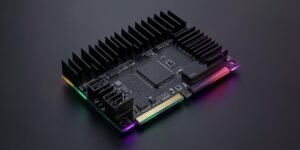
DDR4 vs DDR5 Comparison
- DDR4 → Affordable, widely supported
- DDR5 → Faster, newer technology
Compatibility with Motherboard
Before buying RAM, always check:
- Supported RAM type (DDR4 or DDR5)
- Maximum capacity
- Supported speed
Budget vs Performance Options
- Budget → 16GB DDR4
- Mid-range → 16GB–32GB DDR4/DDR5
- High-end → 32GB DDR5
Final Verdict
So, what does RAM do for gaming? It plays a critical role in delivering smooth performance, faster in-game responsiveness, and better multitasking. While RAM may not always boost FPS directly, it ensures your system runs without interruptions. For most users, 16GB RAM is the perfect choice, offering both performance and value. If you plan to stream, edit videos, or future-proof your PC, upgrading to 32GB can be a smart investment.
FAQs About What Does RAM Do for Gaming
Does More RAM Mean Better Gaming?
Not always. Once your system has enough RAM, adding more won’t noticeably improve performance.
Is 16GB RAM Enough in 2026?
Yes, 16GB is still the ideal choice for most gamers and handles modern games smoothly.
Can RAM Fix Lag and Stutter?
Yes—if your system is low on memory. Otherwise, lag may come from your CPU or GPU.
What Happens If I Have Too Little RAM?
Games may stutter, freeze, or crash. Your PC will rely on slower storage to compensate.
Should I Upgrade RAM for Future Games?
Upgrading to 16GB or 32GB can future-proof your system and improve multitasking performance.