
Mario Teaches Typing is a fun and interactive game that helps players learn keyboard skills while enjoying gameplay. It improves typing speed by challenging users to type letters, words, and sentences accurately to progress through levels. The game focuses on accuracy first, which ensures that players build solid typing habits. By combining colorful graphics, familiar characters, and rewards, it keeps learners motivated and engaged.
What is Mario Teaches Typing?
It is an educational video game released in the early 1990s that helps players learn typing in a fun and interactive way. Unlike traditional typing lessons, the game incorporates characters and gameplay elements from the popular Super Mario franchise to make typing practice enjoyable. Players progress through levels by typing words and sentences accurately, which motivates them to improve their skills.
Who Developed the Game and When?
The game was developed by Interplay Productions and released for personal computers in 1992. It was designed to introduce children and beginners to proper keyboard use while providing an entertaining experience.
Why This Game is Still Popular Today
Even decades after its release, Mario Teaches Typing remains popular for its nostalgic value and effectiveness. Its combination of familiar characters, colorful graphics, and rewarding gameplay continues to appeal to beginners looking to improve their typing skills.
How the Game Works
The game consists of multiple levels where players must type letters, words, or full sentences correctly to progress. Early levels focus on basic key recognition, while later stages challenge players with longer sentences and faster-paced typing exercises.
Characters and Gameplay Features
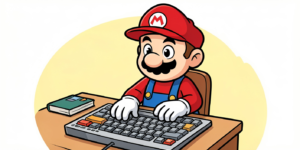
Mario Teaches Typing is the central character guiding players through each typing challenge. Some versions allow players to select other characters such as Luigi. When players type correctly, the character moves, jumps, or completes other in-game actions, which provides immediate feedback and rewards for accurate typing.
Fun Learning Techniques in the Game
Instead of dull drills, the game uses animations, sound effects, and rewards to encourage learning. Players are motivated to type correctly to keep their character moving, creating an engaging environment where typing skills improve naturally.
Different Difficulty Modes and How They Help
The game offers different difficulty levels, from beginner to advanced. Beginner levels focus on familiarizing players with the keyboard, while advanced levels increase speed and complexity. By gradually increasing difficulty, the game helps players steadily enhance their typing skills.
Benefits of Mario Teaches Typing
The main benefit of playing it is increased typing speed. The game encourages rapid response to text prompts, helping players press keys faster and build confidence in typing quickly.
Enhance Accuracy
Accuracy is critical in the game; incorrect key presses can slow down progress or cause mistakes. This focus on precision helps players develop accurate typing habits that carry over to real-world keyboard use.
Build Hand-Eye Coordination
Mario Teaches Typing in sync with on-screen prompts improves hand-eye coordination. Players learn to coordinate what they see with how they type, which is essential for efficient typing.
Boost Memory and Concentration
Regular practice strengthens muscle memory for finger positions and trains the mind to focus on typing tasks. Concentration is essential to complete levels without errors, making the game an excellent tool for building mental focus.
Make Learning Fun and Engaging
By combining gameplay with typing lessons, the game transforms learning from a chore into a fun activity. Animations, rewards, and progress tracking keep players engaged and motivated to continue practicing.
Tips to Maximize Learning with Mario Teaches Typing
- Practice Consistently: Regular sessions are key to improvement. Short daily practice is more effective than occasional long sessions.
- Focus on Accuracy Before Speed: Typing quickly is only useful if it’s accurate. Players should prioritize correctness, then gradually increase speed.
- Track Your Progress Regularly: Monitoring words per minute (WPM) and accuracy helps players identify areas for improvement and stay motivated.
- Combine the Game with Other Typing Exercises: Using other typing exercises alongside the game ensures comprehensive skill development and reinforces lessons learned in the game.
- Set Goals for Each Session: Small, achievable goals such as completing a level or improving accuracy help maintain focus and motivation during each session.
Who Can Benefit from Mario Teaches Typing
- Kids and Students: Children learning keyboard skills benefit the most from the game because it transforms practice into play, keeping them engaged while developing essential skills.
- Beginners and Adults: Even adults who never learned proper typing can benefit. The structured lessons and progressive difficulty levels cater to beginners of all ages.
- Teachers and Parents Using it as a Tool: Educators and parents can use the game as a supplemental teaching tool to help children improve typing skills at home or in the classroom.
Alternatives and Modern Typing Games
- Other Mario-Inspired Typing Games: While Mario Teaches Typing is a classic, other games have used similar approaches, combining educational content with popular characters to engage learners.
- Free Online Typing Platforms: Modern online platforms offer interactive lessons and typing games that provide additional practice and real-time feedback.
- Mobile Apps for Typing Practice: Mobile typing apps make learning convenient, allowing users to practice typing skills on smartphones and tablets.
Interesting Facts About Mario Teaches Typing
- Fun Trivia About the Game: The game featured early voice acting for Mario and introduced children to educational gaming with familiar characters, which was innovative for its time.
- How It Changed Typing Education: By gamifying typing lessons, it demonstrated that educational software could be both effective and fun, influencing the development of future typing games.
- Records and Achievements in the Game: Players often challenge themselves to achieve higher words per minute or accuracy scores, which encourages repeated practice and improvement.
Common Mistakes to Avoid While Learning Typing
- Focusing on Speed Too Early: Rushing to type fast without accuracy leads to bad habits. Beginners should prioritize precision first.
- Ignoring Proper Finger Placement: Effective typing requires using all fingers properly rather than hunt-and-peck techniques.
- Skipping Practice Sessions: Consistency is crucial. Skipping sessions slows progress and reduces skill retention.
Final Verdict
Mario Teaches Typing remains a timeless educational tool that blends fun and learning. By integrating engaging gameplay with structured lessons, it helps players of all ages improve typing speed, accuracy, and confidence. Understanding how it provides an example of how gamified learning can make skill development enjoyable and effective.